Google only shows your products if it trusts your store.
Warned or suspended? Find the problem in 60 seconds. Fix it today.
Free. 60 seconds. Any platform.On Shopify? Get the app
Google says “Misrepresentation”. It doesn’t tell you where.
ShieldKit shows you the page, the words, and the rule behind it.
yourstore.exampleExample Evidence
Template text left on your store
Problem- The page
- yourstore.example/policies/refund-policy
- What we found there
Items can be returned within [X] days of delivery.
- Google’s rule
Remove any placeholder images, templated text, or broken links.
Check if your online store is fully functional
What you get
The problem you have, and what ShieldKit shows you instead.
The problem
Google flagged your store and didn’t say where.

Every problem, worst first. The problem
You don’t know where to start.

Every area at a glance. The problem
Merchant Center’s notices are vague.

See what Google sees.
How it works
Three steps. The first takes about a minute.
Enter your store address
Type it above, or get the Shopify app.
See what’s wrong
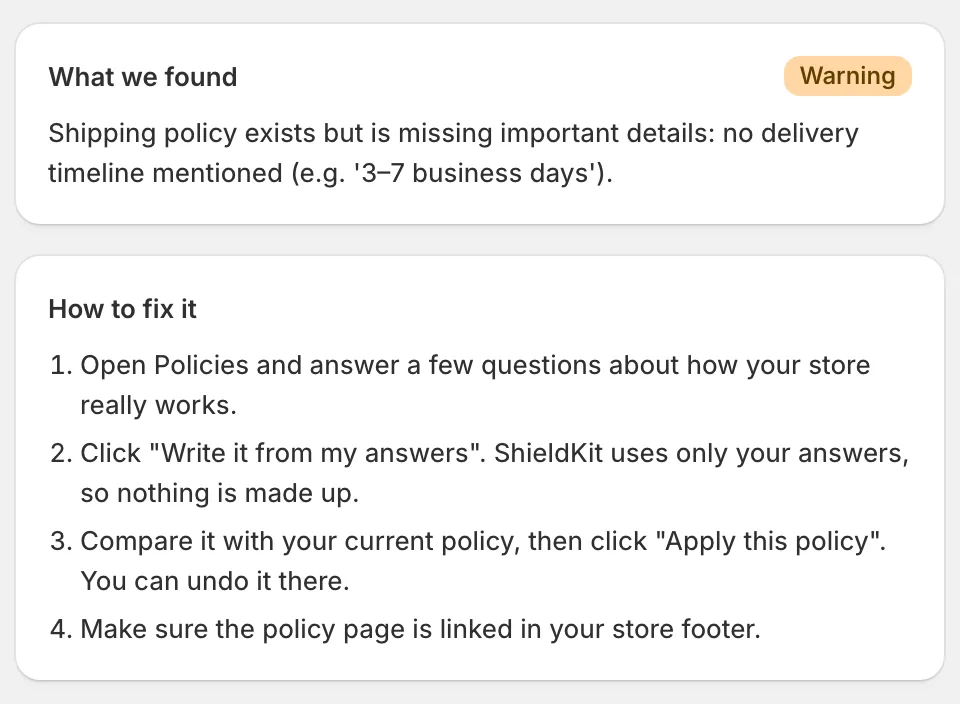
Checked against Google’s rules. Nothing guessed.
Fix it, then request your review
Clear steps. Recovery adds your appeal letter.
Pricing
Free
See what’s wrong.
$0
- 3 store checks a month
- Plain-English fix steps
- Evidence for your worst problem
- How many prices Google may reject
Monitoring
Catch problems early.
$29/month$299/yearSave $49
- Daily store check
- Email when something new breaks
- Price Watch
- Unlimited re-checks
- Yearly plan includes 30 days of Recovery
For warned or suspended stores
Recovery
Fix everything before you request a review.
$99 /month
- Everything in Monitoring
- Evidence for every problem
- Hidden problems a quick look misses
- Policies written for you
- Your appeal letter
Every problem links to the Google rule behind it.
Frequently asked
Why was my Google Merchant Center account suspended for misrepresentation?
Google thinks something on your store could mislead shoppers: often a missing policy, contact details or business information. Its notice rarely says which page.
How do I fix a misrepresentation suspension?
Find every page Google could object to, fix it, then request a review. Thefree store check shows each problem with the page and Google’s rule.
I fixed everything. Why is my account still suspended?
The cause is usually something a quick look misses: template text, theme links, fake pop-ups, broken menu links. Recovery checks for these.
How long does a Merchant Center review take?
Google says up to 7 business days, though many merchants wait longer. Ourreview timeline covers each stage.
What happens if my Merchant Center review fails?
After a second failed review Google may start a cool-down, and it can grow with each failure. Check your store before you press the button.
Why does Merchant Center say my prices don’t match?
Usually tax, currency, a plugin or sale timing. Price Watchcompares what Google reads with what you charge.
Is there a free Google Merchant Center checker?
Yes. Enter your store address and ShieldKit checks it against Google’s own rules in about a minute.
Does ShieldKit work on my store?
Yes. Shopify, WooCommerce, WordPress, BigCommerce, Wix, Squarespace, Ecwid andany other store.
Is connecting Merchant Center to ShieldKit safe?
Yes. ShieldKit only reads it, and you can disconnect any time.
See what Google sees in your store.
Free. 60 seconds. Any platform.